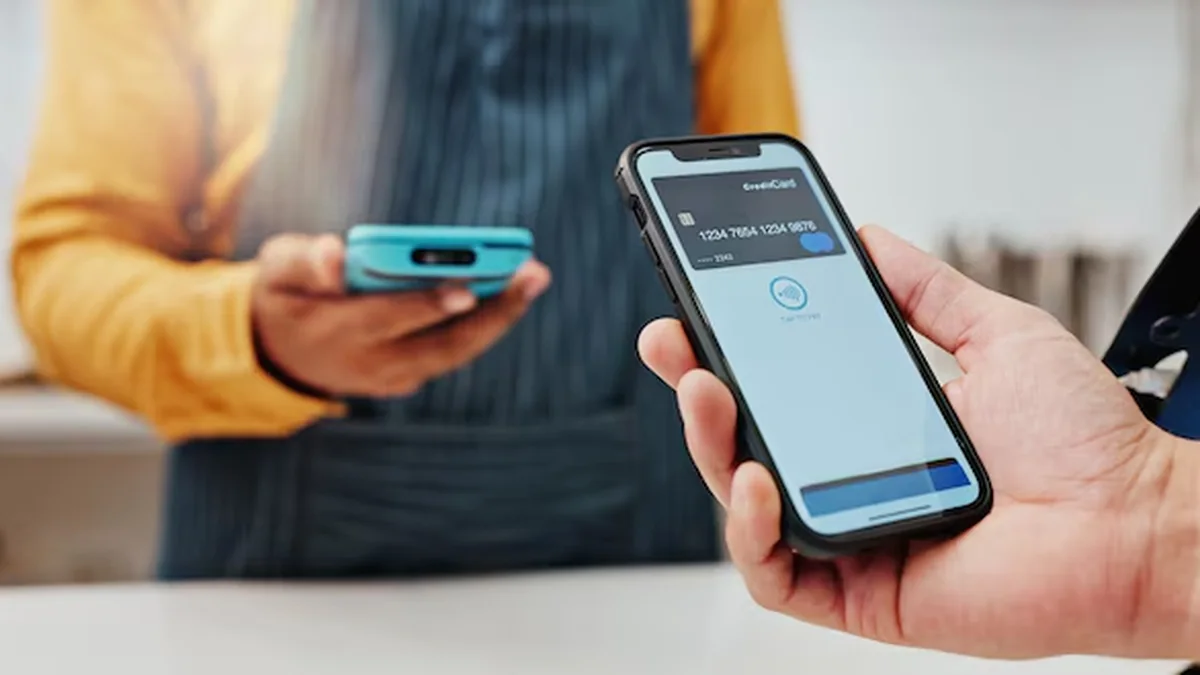
Most failed bKash casino transactions happen in the 90 seconds between opening the cashier modal and pressing Confirm inside the bKash smartphone app. To isolate exactly where newcomers trip up, I ran three timed 500 BDT and 1,500 BDT reload drills from a standard Android handset in Mirpur-10 over regular 4G mobile data. Below is the exact sequence—including how the two main deposit channels differ, what net deposit math checks look like afterward, and how to read pending confirmation states.
What Are the Two Types of bKash Deposits Used by Bangladesh Cashiers?
When the cashier menu opens, you will frequently notice two labels side by side under the pink bKash badge: bKash P2P (Send Money) and bKash Agent / Payment. Selecting P2P Send Money assigns a standard 11-digit personal wallet number; inside your bKash app you tap Send Money, paste the digits, enter the exact BDT amount, add the displayed reference tag if requested, and hold the pink circle to confirm.
By contrast, an Agent Cash Out or automated Payment gateway requires selecting Cash Out or Make Payment inside bKash—or completing an embedded mobile-number + OTP + PIN prompt inside a payment redirect page. Mixing up Send Money and Cash Out causes the recipient bKash wallet to reject or misclassify the transfer, triggering a manual dispute inside TrxID troubleshooting.
Why Exact BDT Amount Matching Matters More Than Speed
Automated matching engines look for an exact Taka match (for instance, 500 BDT or a randomized invoice like 503 BDT) arriving on the target wallet within a 10-to-15-minute window. If the form asks for 1,000 BDT and you send 980 BDT or 1,020 BDT to cover fees, the system cannot auto-credit your balance.
What Is Considered a High Limit on a Single bKash Deposit?
For standard personal P2P cashiers in Bangladesh, any single ticket between 20,000 BDT and 25,000 BDT sits at the upper ceiling of high-limit bKash deposits. Players attempting 50,000 BDT or 100,000 BDT in one afternoon typically split tickets across Nagad or migrate over to USDT TRC-20.
Timed Mirpur-10 Bench Log: 500 BDT Send Money Execution
At 11:40 AM BST on Thursday, I logged into the test account via verified member access, tapped Deposit, picked bKash P2P, and selected 500 BDT. The cashier displayed a 15-minute countdown clock alongside a fresh 017XX-XXXXXX personal receiver number. Switching to the bKash app took four seconds; pasting the number and confirming Send Money took another 18 seconds (tariff: 0 BDT via Priyo slot).
Instead of waiting for the SMS inbox chime—which lagged by 14 seconds on my Robi SIM—I tapped the bKash confirmation screen's Transaction ID copy icon (BHK... 10-char string), switched back to Chrome without closing the cashier tab, pasted the code, and hit Submit. Twenty-eight seconds later, the top-right wallet ticked from 12.50 BDT to 512.50 BDT, ready for Aviator crash testing.
What Does Net Deposit Mean After Your bKash Transfer Clears?
Suppose you complete a 1,000 BDT bKash deposit on Monday morning, play live Speed Baccarat up to 2,200 BDT, withdraw 1,500 BDT that evening, and reload another 500 BDT on Wednesday. Your gross deposits equal 1,500 BDT, yet your net deposit across the week is zero (1,500 BDT deposited minus 1,500 BDT withdrawn).
Understanding net deposit prevents surprises when claiming weekly rebates or 100% welcome reload promos. Always verify your net deposit ledger before expecting cashback drops, and never make artificial wash deposits just to chase VIP thresholds—cashier audits automatically void circular deposit-withdrawal cycling.
| Step Stage | Action Inside App / Cashier | Observed Time (Daytime) | Observed Time (9 PM Peak) | Failure Trigger to Avoid |
|---|---|---|---|---|
| 1. Invoice Lock | Select bKash P2P and BDT tier | 8 sec | 11 sec | Leaving tab idle past 10-15 min expiry |
| 2. Wallet Copy | Copy rotating 11-digit receiver number | 10 sec | 12 sec | Using an old number saved in phone contacts |
| 3. bKash Execute | Send Money / Cash Out exact Taka | 22 sec | 29 sec | Choosing Cash Out on a Send Money invoice |
| 4. TrxID Capture | Copy 10-char ID from bKash app card | 6 sec | 8 sec | Retyping O instead of 0 from SMS preview |
| 5. Ledger Credit | Paste TrxID and confirm cashier tab | 22 sec | 210 sec | Refreshing browser repeatedly or double-sending |
Exact 7-Step bKash Deposit Sequence for Zero-Error Settlement
- Log In via Verified HTTPS Mirror
Sign in to your account and confirm the padlock icon matches your saved bookmark before opening the Cashier tab.
- Choose bKash & Check Transfer Mode
Select bKash and verify whether the cashier specifies Send Money (Personal) or Cash Out (Agent) on the active invoice.
- Lock Your Exact BDT Deposit Amount
Pick a realistic bankroll amount such as 500 BDT or 1,000 BDT; avoid altering the Taka figure inside the bKash app afterward.
- Copy Receiver Number Fresh Every Time
Tap the copy icon on the active 11-digit bKash wallet number and note the timer countdown.
- Execute Transfer in Official bKash App
Open bKash (or dial *247# if data lags), paste the receiver digits, enter the exact Taka figure, verify the name prompt, and hold to confirm.
- Copy the 10-Character TrxID Immediately
Tap Copy next to the Transaction ID on the confirmation screen and return straight to the waiting cashier tab.
- Submit & Wait 3 Minutes Before Escalating
Paste your 10-character TrxID, submit once, and let the wallet refresh; capture a full receipt screenshot only if credit stalls past 5 minutes.
Handling Pending bKash Deposits & Preventing Duplicate Charges
A pending banner does not mean your money disappeared—it simply signals that the cashier queue is waiting on SMS verification or manual reconciliation. On our third test ticket (1,500 BDT at 8:55 PM BST), a busy evening queue held the deposit in Pending Review for 3 minutes and 40 seconds before clearing automatically without intervention.
If a transfer ever stalls past 10 minutes, pull your bKash statement PDF or transaction screenshot, verify that the receiver number had not expired before you pressed Confirm, and escalate once through official live chat inside your account. Never give anyone your PIN—read P2P agent safety rules for exact verification boundaries.
Problem Gambling Safeguards Before You Tap Confirm
Because mobile deposits finish in under a minute, impulsive re-deposits are far easier than walking to a physical kiosk. Watch carefully for the classic 7 warning signs of problem gambling: spending more BDT or time than planned, chasing losses with bigger deposits, borrowing Taka to fund play, hiding MFS history from family members, neglecting work or study, feeling irritable when cutting back, and betting to escape stress.
If even two of those habits resonate, pause your deposits right away, read our responsible gaming control guide, and activate a cooling-off block before returning to structured BDT unit sizing.
Responsible Gaming & 18+ Player Safeguards
Online casino play and cricket wagering are strictly restricted to adults aged 18 and older in Bangladesh. Before loading your BDT balance via bKash, Nagad, or Rocket, establish a weekly entertainment ceiling that never touches rent, education fees, or household savings.
Practical pre-commitment discipline includes activating daily deposit caps inside your account cashier, using session time alerts every 45 minutes, and requesting a 24-hour to 6-month self-exclusion cooling period across desktop and mobile app logins whenever a session feels frustrating.
For confidential international support and structured self-assessment tools, consult GamCare or Gambling Therapy.
Key Takeaways & Next Action
Executing an error-free bKash deposit takes barely a minute once you match the exact transfer mode (Send Money vs Cash Out), preserve exact BDT digits, and copy the 10-character TrxID straight from the app statement. Now check how quickly payouts clear back to your phone in our bKash withdrawal timing benchmark, review pending TrxID dispute fixes, or compare Nagad deposit tariffs.
Frequently Asked Questions
What are two types of deposits inside bKash casino cashiers?
Cashiers primarily support Personal P2P Send Money (sending Taka from your bKash app to a listed personal wallet) and Agent Cash Out or Merchant Gateway payments (sending to an agent or automated payment terminal). Always use the exact mode written above the receiver digits.
What does it mean when a direct deposit is pending?
A pending status means your bKash transfer succeeded on your phone, while the casino cashier has not yet matched your 10-character TrxID, sender number, and Taka total against its incoming wallet statement. Most pending deposits clear within 1 to 5 minutes.
What does net deposit mean for bKash players?
Net deposit equals total deposits minus total approved withdrawals over a specified period. Bonus teams use net deposits—not gross deposit volume—to calculate weekly cashback rebates and VIP cashback eligibility.
What is considered a high limit at a casino for bKash deposits?
Individual bKash cashier tickets above 20,000 BDT to 25,000 BDT are treated as high-limit single transfers. Larger bankroll players above 50,000 BDT usually spread transactions across days or switch to USDT TRC-20.
What are the 7 warning signs of problem gambling to watch for?
Key red flags include chasing losses, exceeding pre-set Taka budgets, hiding bKash receipts from family, borrowing money to deposit, skipping work or classes to play, feeling restless when stopping, and using casino apps to escape stress.